
What FocalNest does.
Each part takes a job off an ADHD brain: remembering, getting started, keeping time, and deciding what's next. Use what helps. Anything can be switched off, person by person.
For kids
Less nagging, because the screen says what’s next and makes finishing worth it.
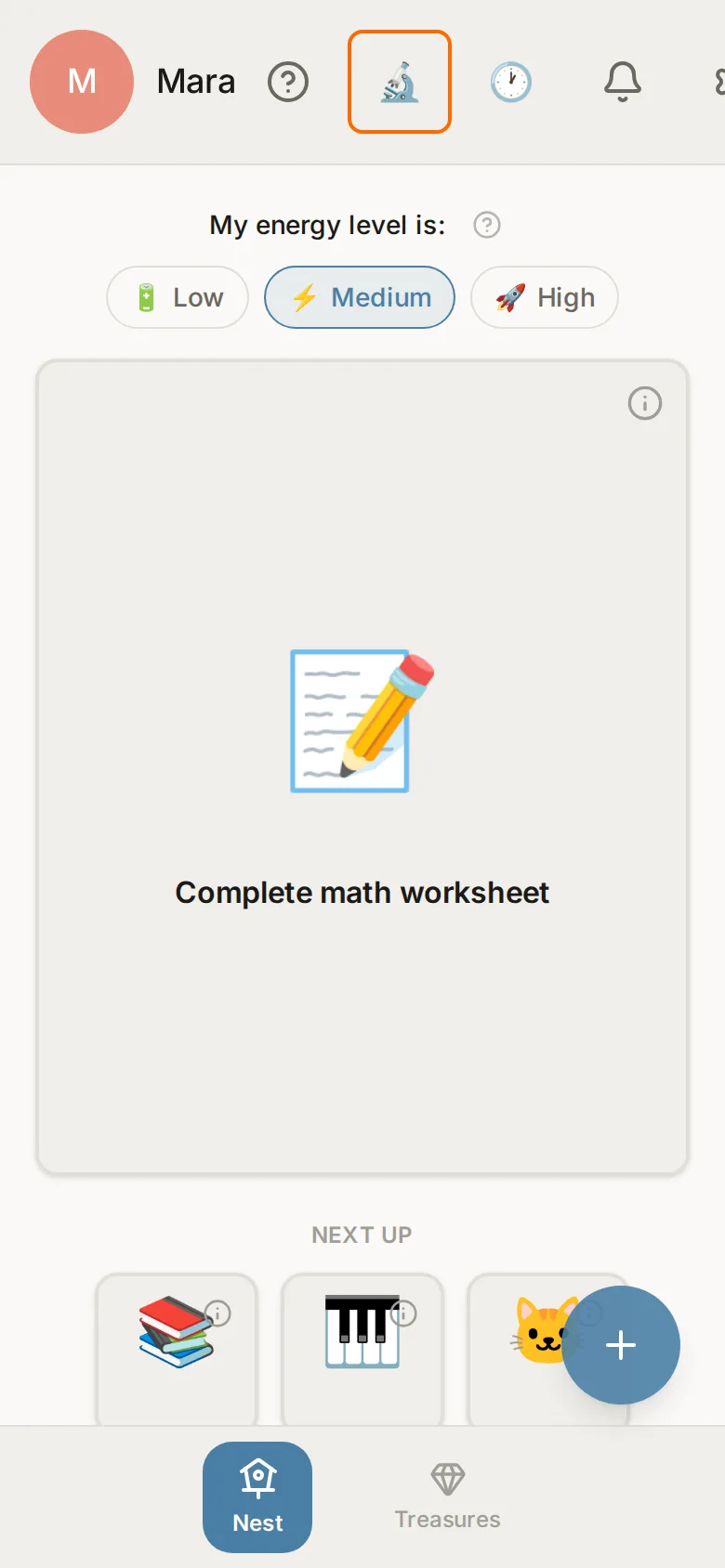
One thing to do, in words they can read.
A kid sees one task at a time, with a big picture and how long it takes in plain words. The steps FocalNest writes are pitched at their reading level, down to three words for a child who can't read yet.
Once a parent allows it, a pre-reader or early reader hears their task read aloud. A parent can turn the automatic reading off.
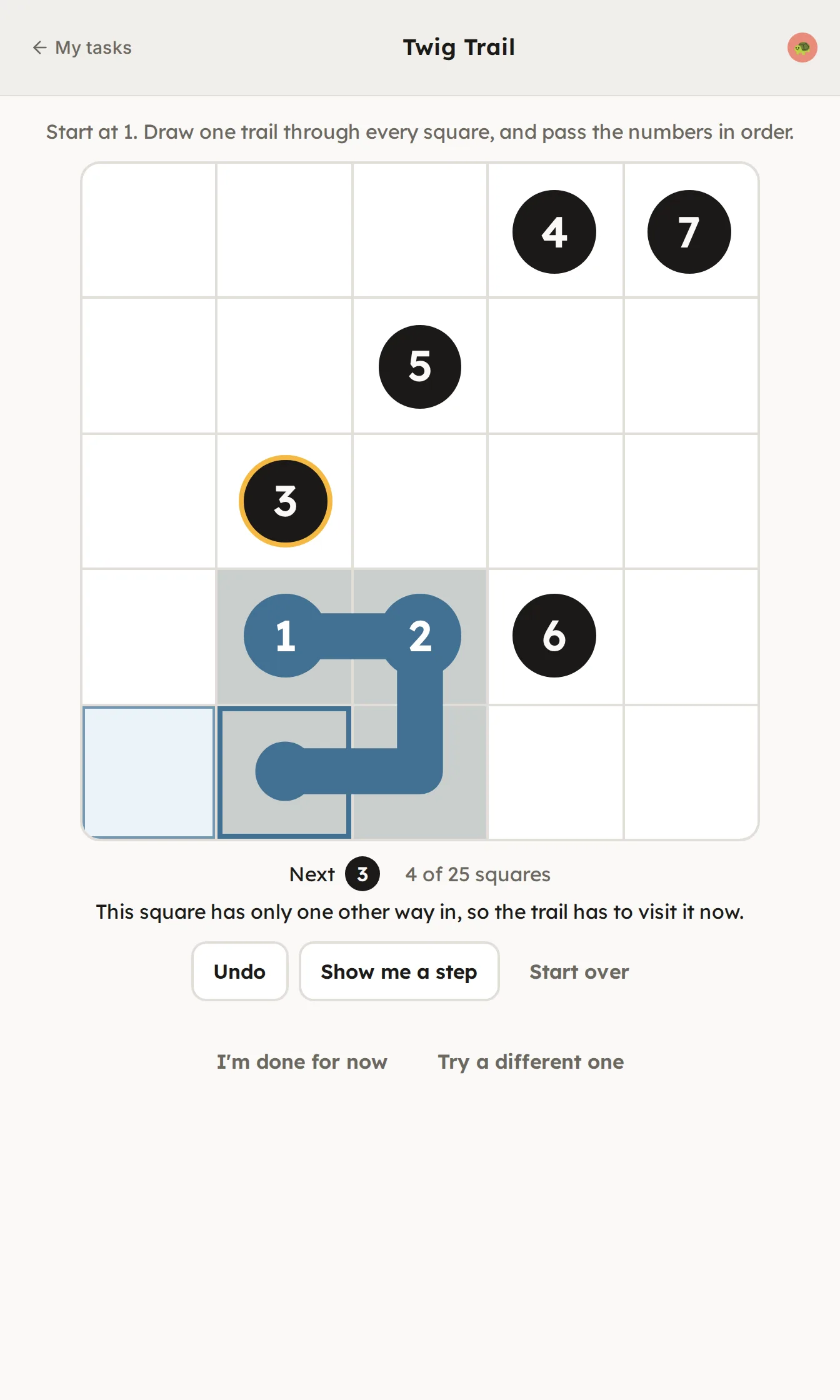
Something for every finished task.
Every task a child finishes brings something. It might be a piece of a card from a set like dinosaurs, bugs, or rocks and minerals, or a short puzzle game they can't lose. What turns up is the surprise.
They drag each piece into the frame whenever they like, and the picture appears as they build it. When the last piece goes in, the card is theirs, with a real fact on the back. A card takes a few tasks, sized to how well they read, and you can switch a child to whole cards.
You choose the sets, and can add real-life rewards like a movie pick, with limits you set. A game can be saved for later.
There are no streaks anywhere in FocalNest, so a bad day never breaks anything.
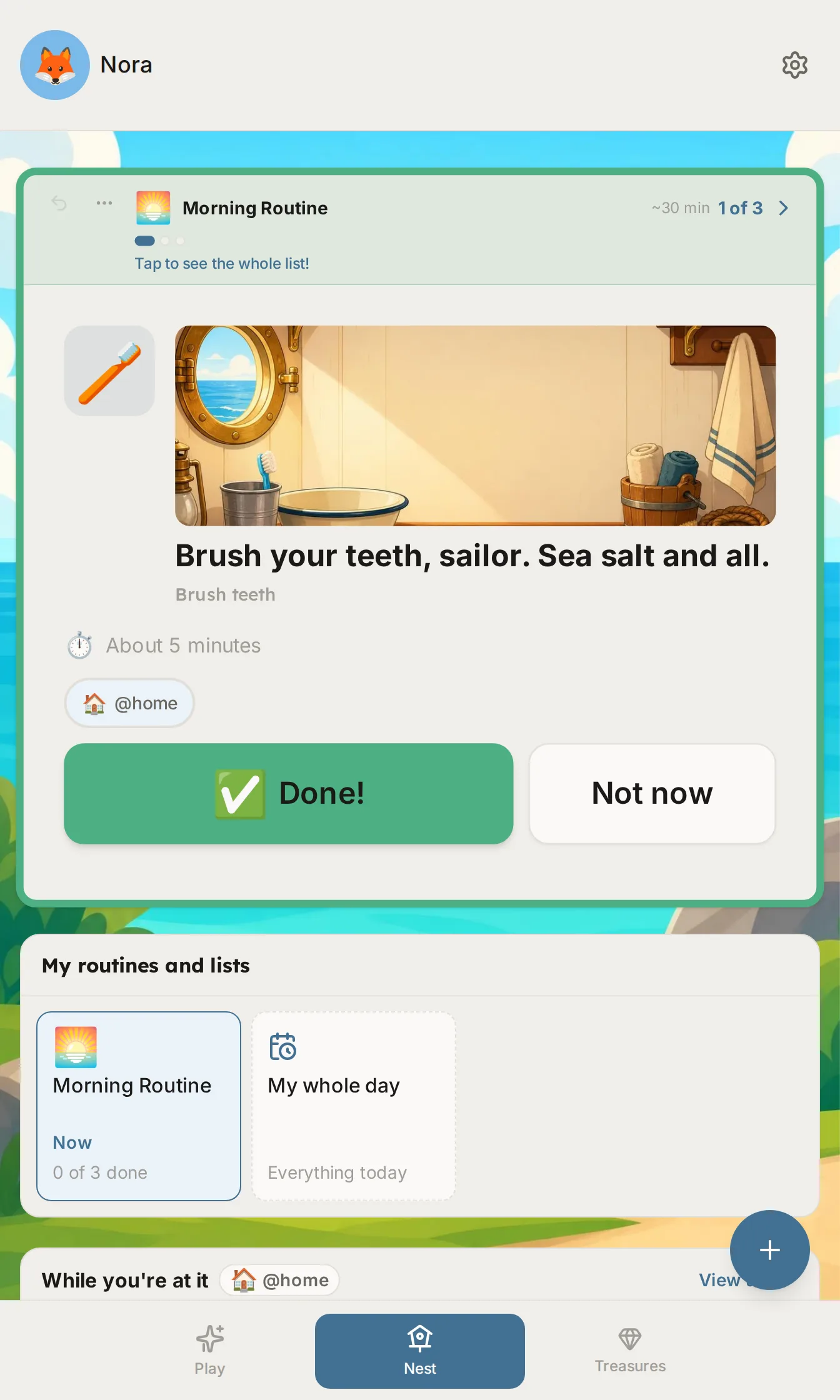
Chores as an adventure.
Some kids won't help with breakfast but will happily be the chef's assistant on a cruise ship. In Play mode a child picks an adventure, like a space station or a pirate ship, and their tasks show up as part of the story.
It only changes how a task is described. The task, and the order tasks come in, stay the same. Medicine and safety tasks are never dressed up.
Around the house
Help at the place and moment something needs doing.
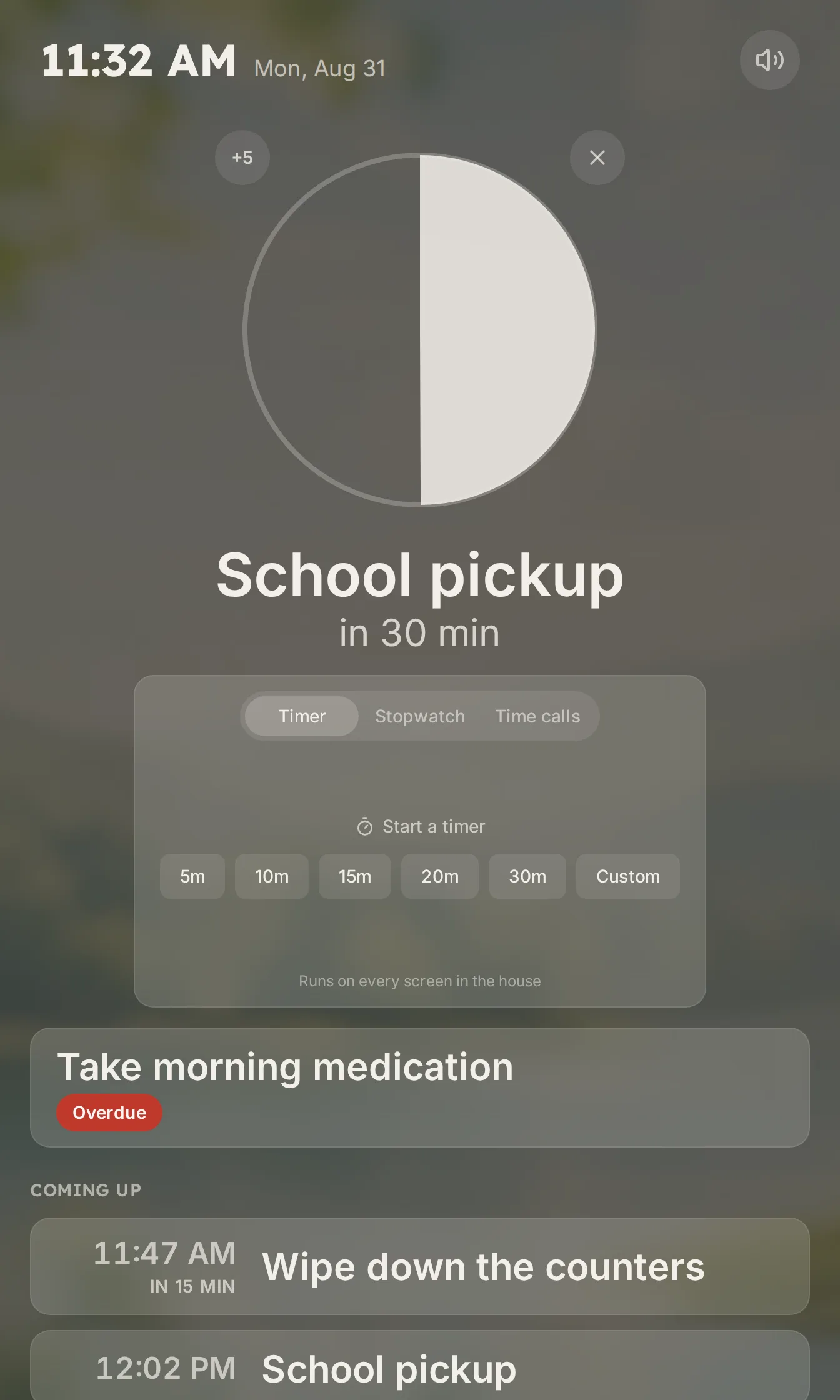
A screen where it happens.
A spare tablet in the kitchen or hallway becomes the family's display. It shows what's coming up and how long until someone has to leave. The agenda is times and titles, with no names on it.
It has a timer, a stopwatch, a tap-to-count counter, and spoken time checks: “It's 7:15.” The checks come closer together as the deadline nears. A routine can start them on its own.
Screens stay in step, so a timer started in the kitchen runs in the hallway too. Each screen has its own sound settings and goes quiet overnight. See which tablets to use and where.
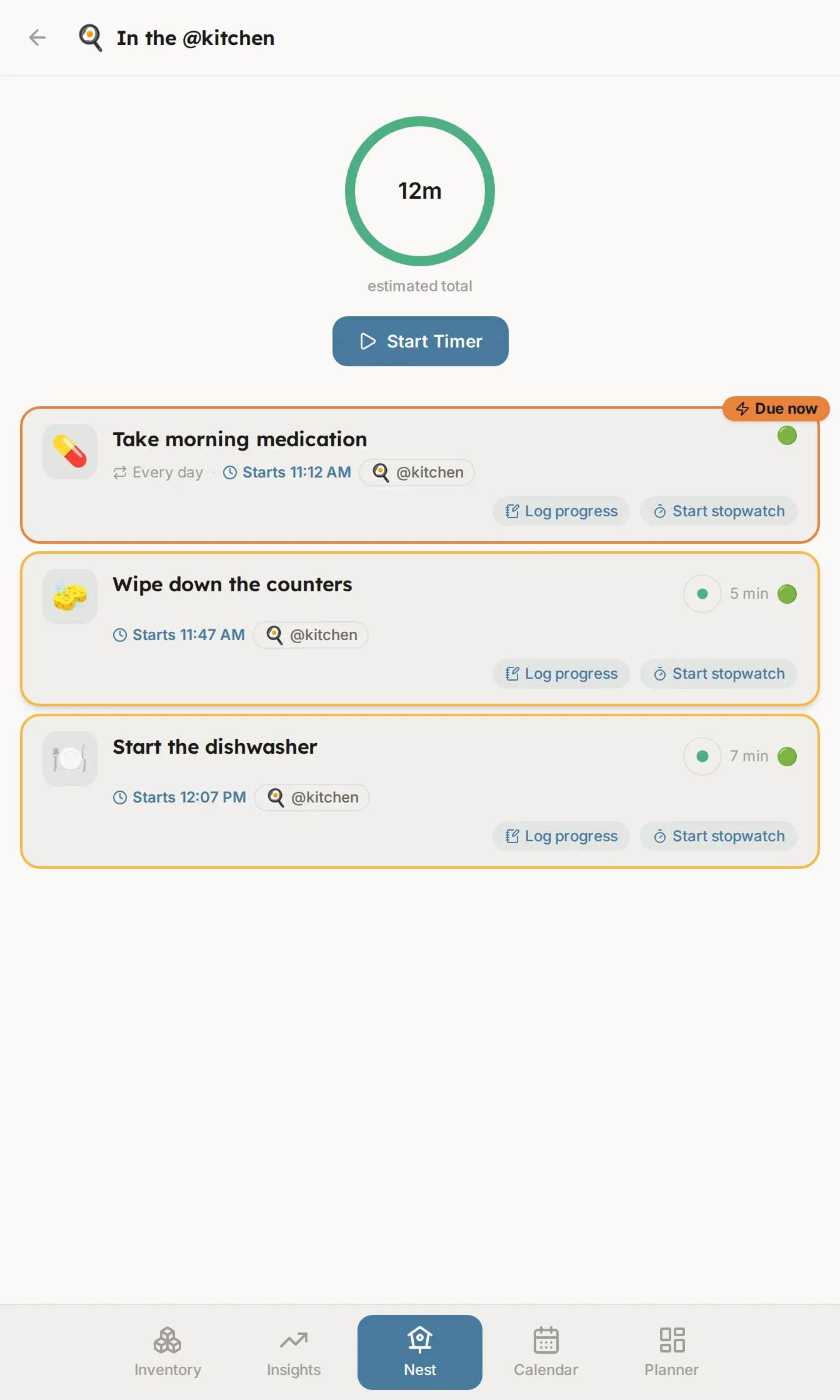
While you're in the kitchen anyway.
Tag a task with a place, and when you're doing one kitchen task FocalNest shows the other small ones there. Putting the groceries away? The counters and the dishwasher take about twelve more minutes.
It works from your tags. FocalNest never asks for your location.
How tasks work
Tasks recorded the way they really happen, and one clear next step.
Tasks that work like real life.
A task can repeat “roughly every few days.” It can happen three times a day, six hours apart. It can matter a lot and still not be due for weeks. FocalNest records how urgent each task is and, separately, how much it matters if it slips.
As a deadline gets close, the task changes color: green, then amber, orange, and red once it's past. Each color comes with an icon and a label, so it works for colorblind eyes too.
One thing to do next.
Choosing from a list of twenty is where an ADHD day stalls. FocalNest weighs the deadline, how much the task matters, your energy, and where you are, then shows you one.
Pick something else any time. When that one's done, the next appears.
The smallest first step.
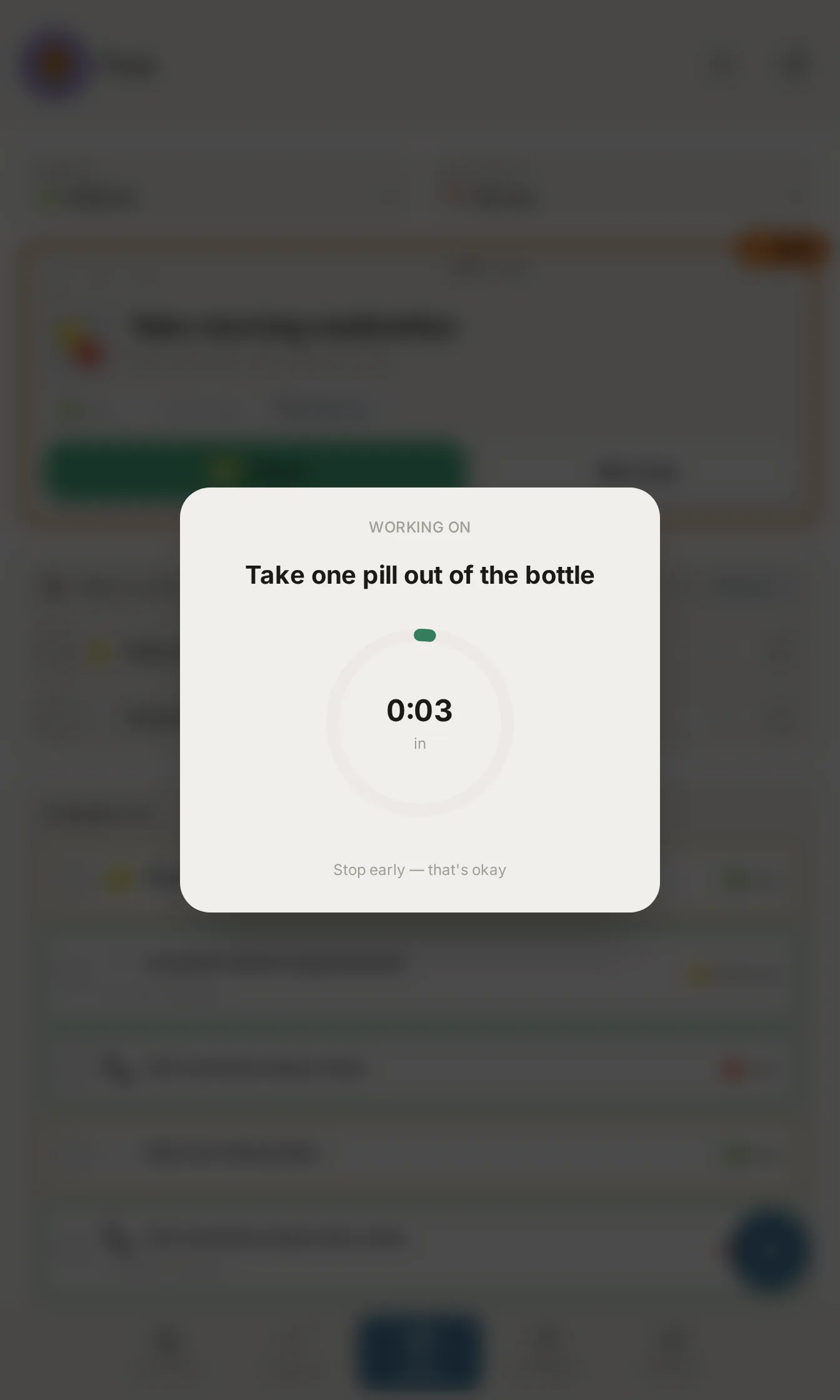
“Finish the science project” is hard to start. “Open the notebook to a blank page” isn't. FocalNest writes the smallest physical first move for a task, something you can do in two minutes.
Tap Just 2 minutes for a short lead-in, then two minutes of doing.
Progress counts.
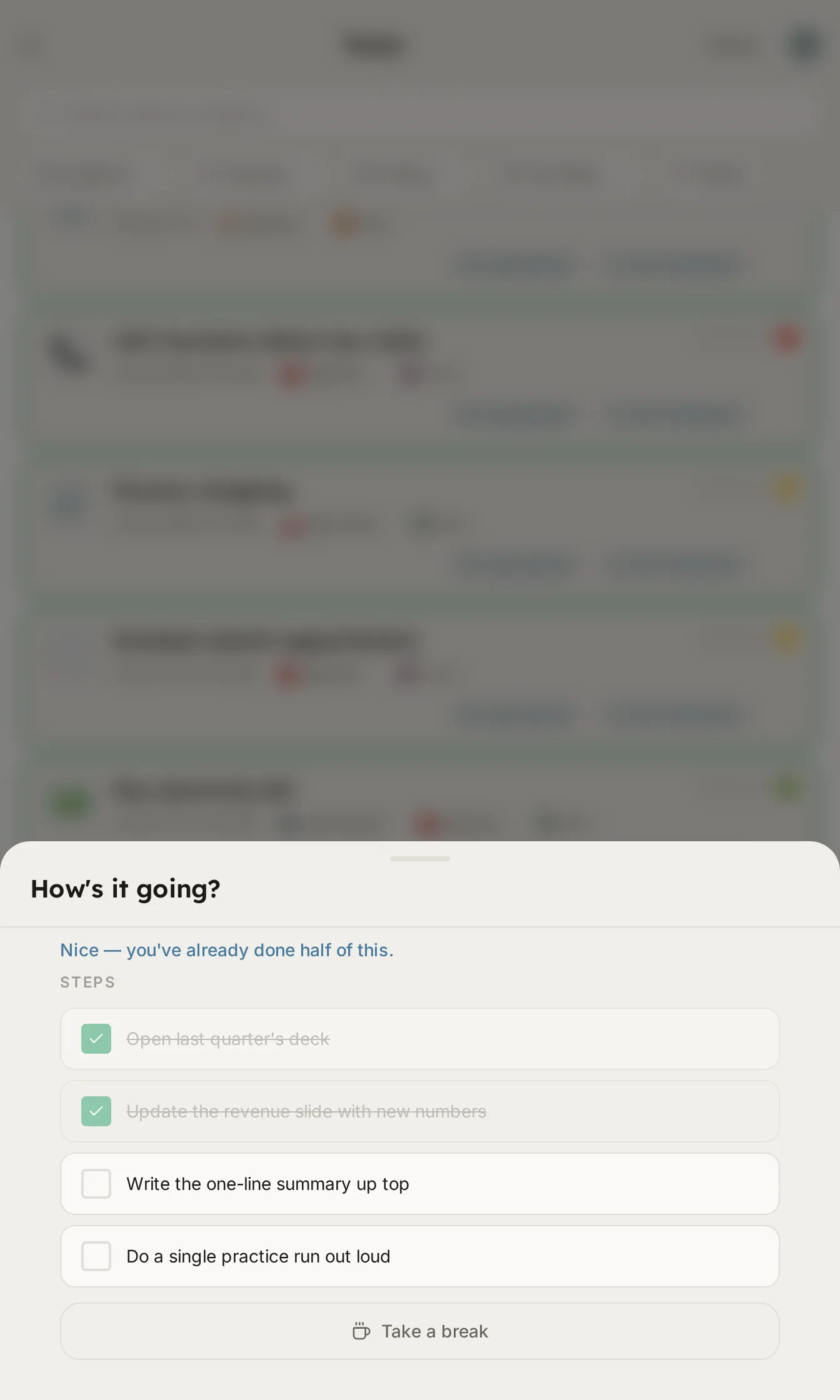
Report in without finishing: just started, making progress, almost there. Once you've made a start, you can take a break for half an hour, an hour, or until tomorrow.
The progress bar never shows zero.
The family and the admin
Sharing the load, and the paperwork that comes with a household.
The whole family, pulling together.
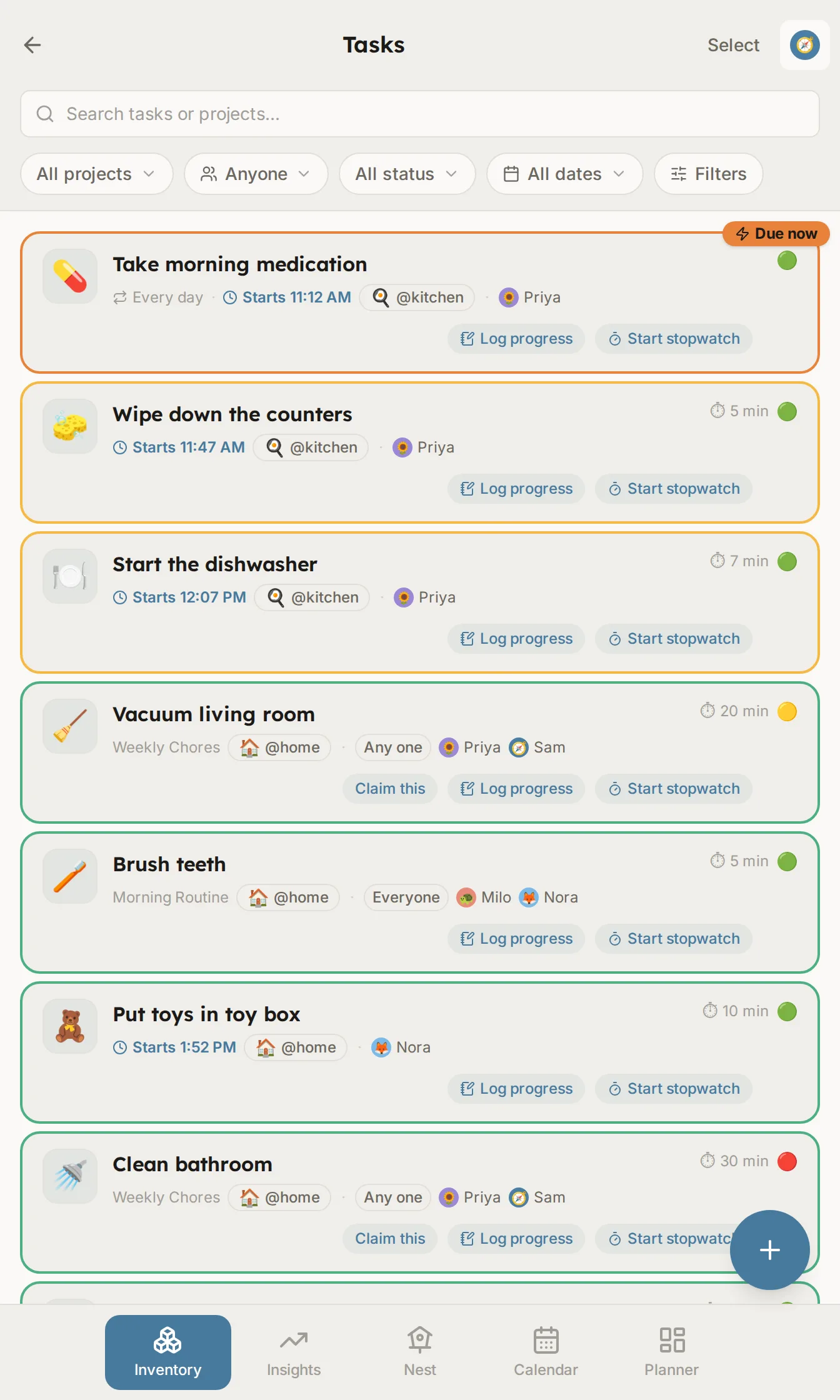
Assign a task to your kid, your partner, or anyone who volunteers, and it shows up on their screen. Everyone's tasks sit in one place, so you can see who's stuck and offer a hand.
Private tasks stay private. Shared ones are visible to whoever they're shared with.
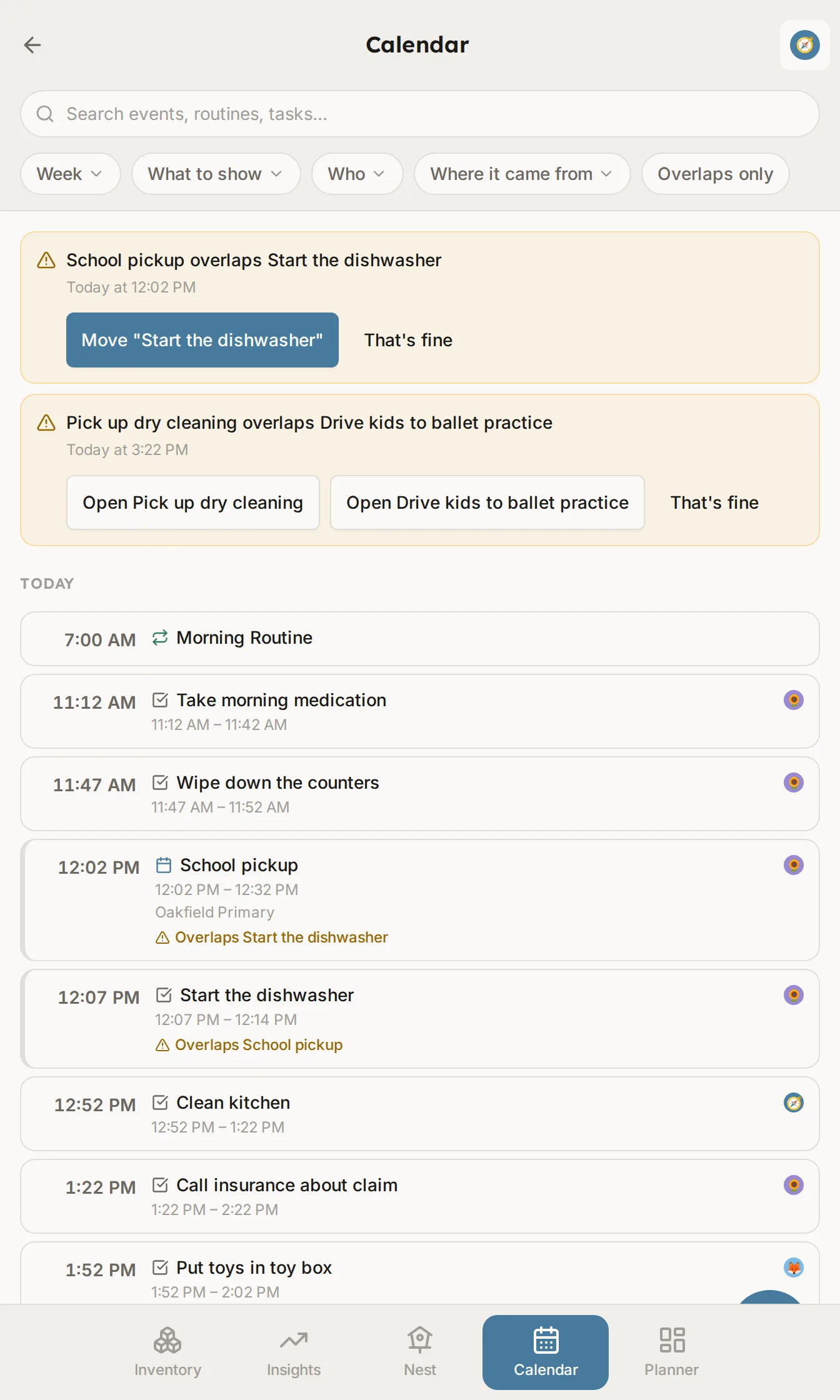
Tasks find a time.
FocalNest places new tasks around your calendar and re-plans overnight. It won't move a task you pinned to a time or marked as important. For those it suggests a change and waits for you.
Connect Google Calendar, or any calendar with an iCal address. FocalNest only reads those. If you turn on writing, it adds a separate FocalNest calendar to your Google account with what you've committed to.
The calendar page lists events, routines, and timed tasks together by day, and flags when two overlap.
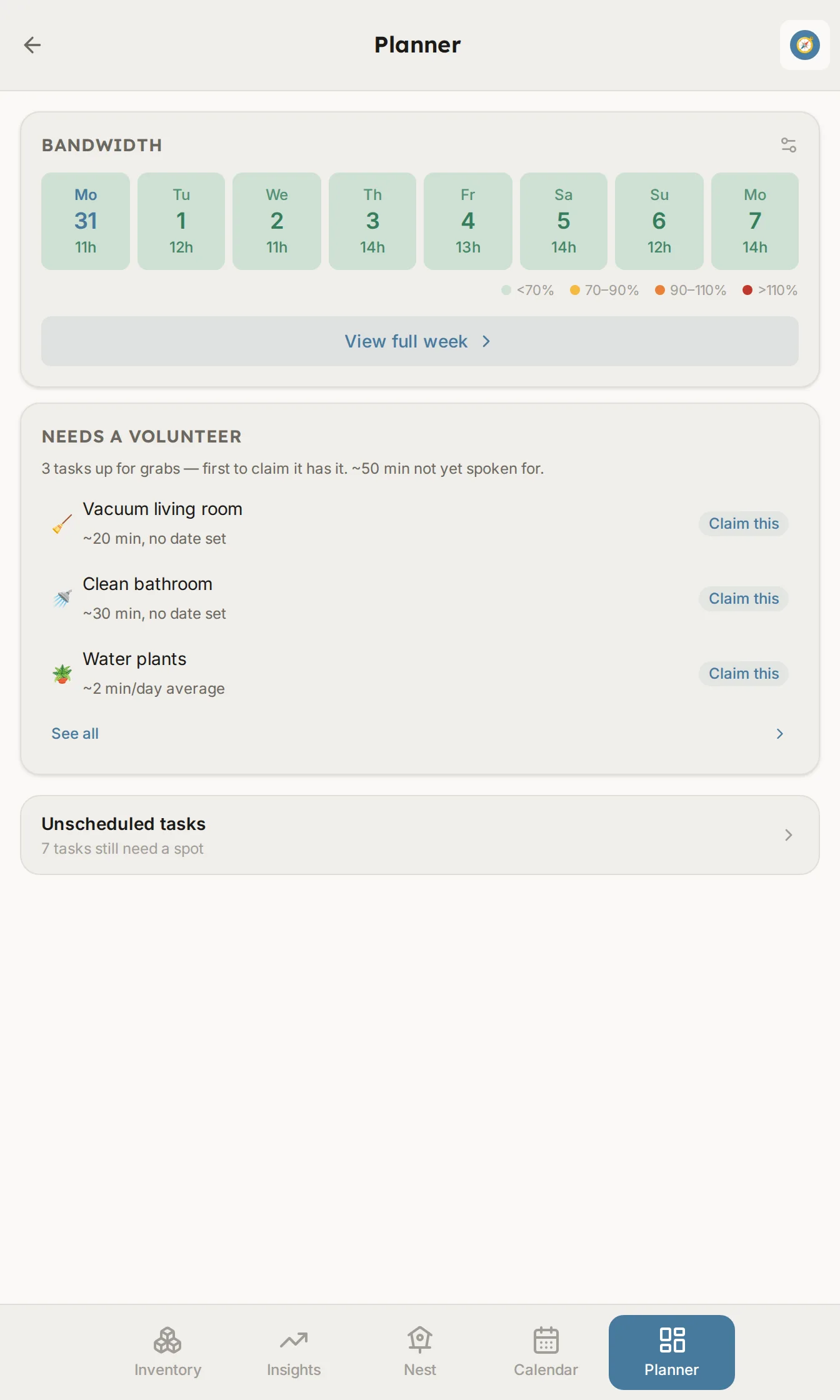
See the overload coming.
The planner starts with one number: how much free time your week has once work, events, routines, and some breathing room are counted. When a week is over, it shows what could move or wait, and it never offers medicine or must-do tasks.
The family view shows how full each person's days are. It flags a day that's too full, demanding tasks on a low-energy day, and several heavy days in a row, so help goes where it's needed.
Tag tasks with the energy they take, and on a tired day FocalNest offers the easier ones.
The bus leaves at 8:15am sharp. Please return the signed slip and $6 by Wednesday. Parent volunteers still needed…
Forward the email. Walk away.
Each adult gets their own forwarding address. Forward an email, a photo of a flyer, or a PDF. Dates go on the calendar, and to-dos become tasks with the real deadline. Add a line above the forward and FocalNest follows it.
If both parents forward the same newsletter, you get one set of tasks. When a date can't be read, FocalNest tells you instead of guessing. Every task links back to its email, and you can undo a whole import.
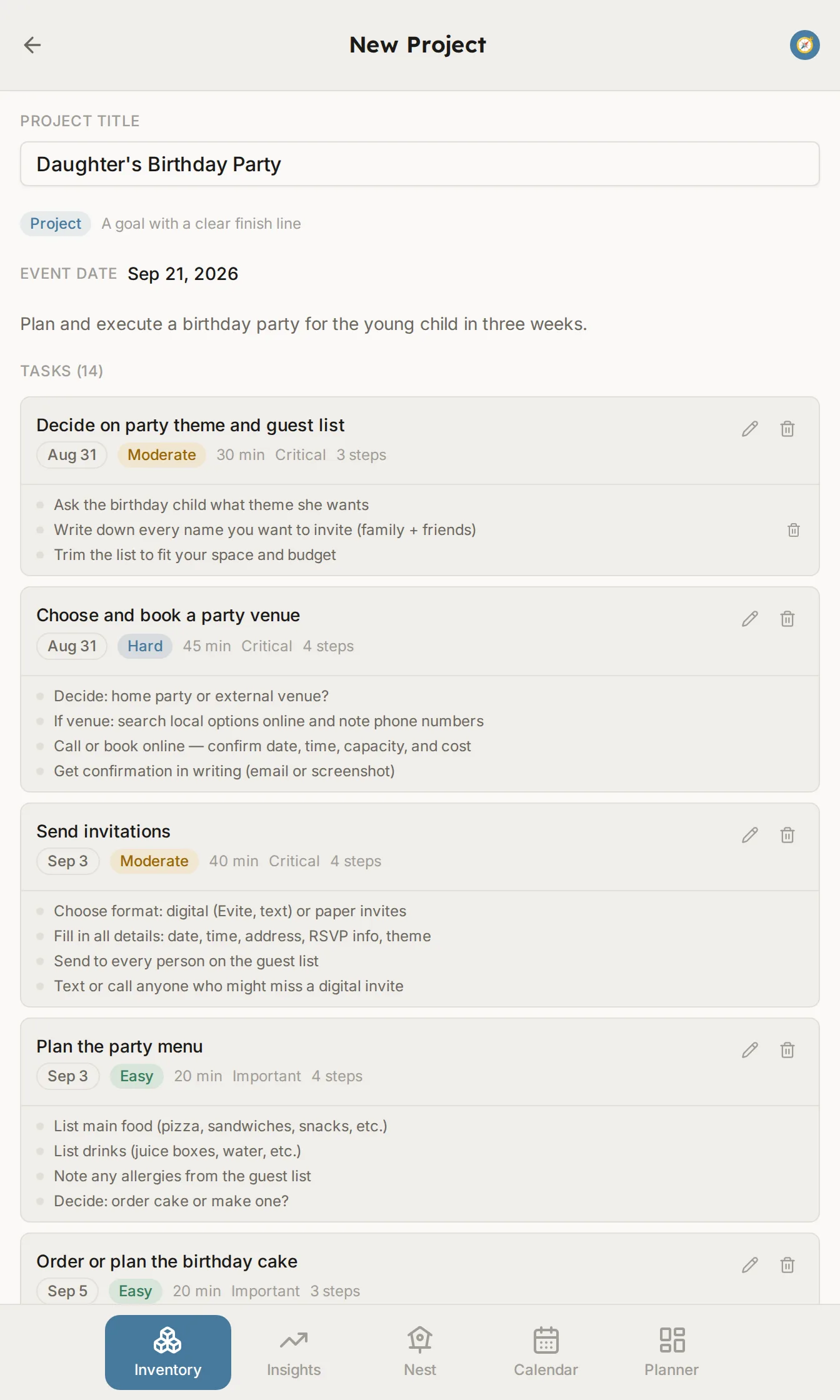
Big projects, drafted for you.
“Throw my daughter a birthday party in three weeks.” Describe it, and FocalNest drafts the tasks, steps, and timing. Or start from a ready-made routine, or build it yourself.
The draft leaves generous time and keeps demanding work out of late afternoon, when medication wears off for many kids. You review everything, and nothing saves until you say so.
You choose what each person gets.
The ADHD support comes in four groups, set for each person. Everyone starts with them on, and someone who wants a plain shared list can switch them off. Adults get the full planner, and kids get the simpler one-at-a-time screen.
Time awareness
Duration rings, generous buffers, deadline alarms, and countdowns.
Getting started
Two-minute first steps, energy matching, gentle escalation, and body doubling.
Focus & attention
A calm focus mode, an easy way back in after an interruption, and quiet insights.
Transitions
A heads-up before a change, and your other tasks for the room you’re in.
And also
Visual timers
Time shown as shrinking space instead of numbers.
Body doubling
A shared session with check-ins, for tasks that are hard to start alone.
Race your usual
Tap Race it to try beating your own usual time on a task or routine. Never anyone else’s time, and nothing is said if you don’t beat it.
Routines that graduate
Once a routine is a habit, a parent can have it bring one reward at the end instead of one per step. The steps stay on screen.
Treasures, for adults too
Adults can collect cards about things worth knowing, and play the puzzles too. Switch it off any time.
Away periods
Mark a stretch away and routines stop expecting you. Nothing is owed when you’re back.
Pause a task
Set something down without deleting it. It remembers who it belonged to.
Text and theme
Larger text, easier-reading spacing, and a dark theme, chosen per person.
Gentle insights
Patterns and encouragement in plain language. No scores.
Consent for kids
A parent consents before a child’s account is made, and again before a child’s text goes to the AI or to read-aloud.
Want to try it?
FocalNest is in a free closed beta. Request access and we'll send you an invite.